Arlington Business License Tax - Visual Guide
Per Chapter 11 of the Arlington County Code, the Commissioner of Revenue licenses and assesses a business license tax on every business in Arlington, including home-based businesses and accessory home-stay rentals (Air BnB, etc.) for individuals renting or leasing houses, apartments, part of their own residences, or other types of dwellings, including vacation and transient rentals.
Annually, businesses must file a business license online via CAPP by 11:59 p.m. on March 1.
General information: https://www.arlingtonva.us/Government/Programs/Taxes/Business/Business-License-Tax
Go here to start the form:
https://capp.arlingtonva.us/_/ (Click on "Register a new business/Location")
Step 1: Introduction
a) Click on "New Business"
b) Select "Legal Structure": If you own the property under your personal name, you would select “Sole Proprietor”. If you own the property under an entity, select the correct type.
c) Select your ID type and input the number that corresponds.

Step 2: Names and addresses
a) Name: type in your personal information, including your mailing address. **Please do not use our company address here.
b) Location address: This is the address of the rental property. Type it in and then click on "Verify Address"
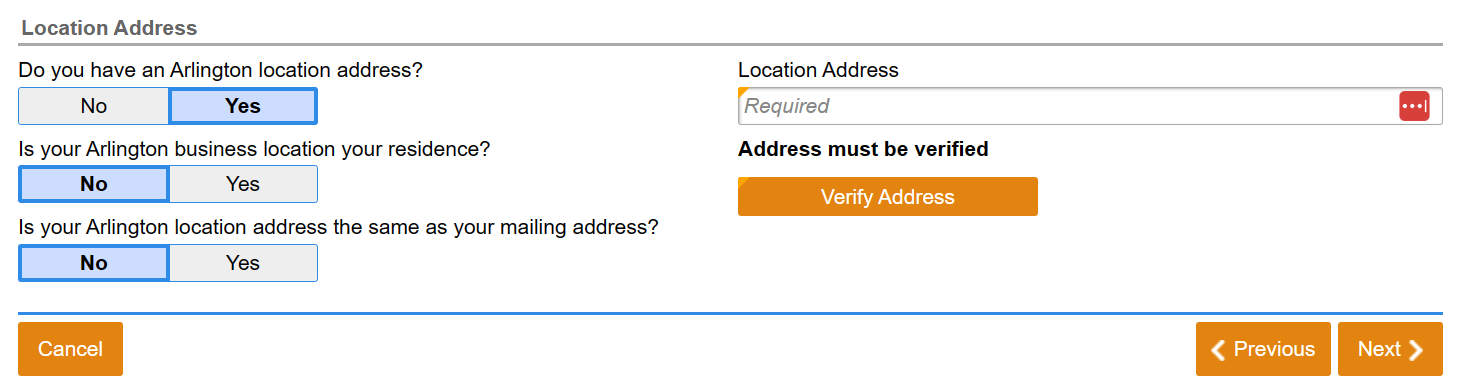
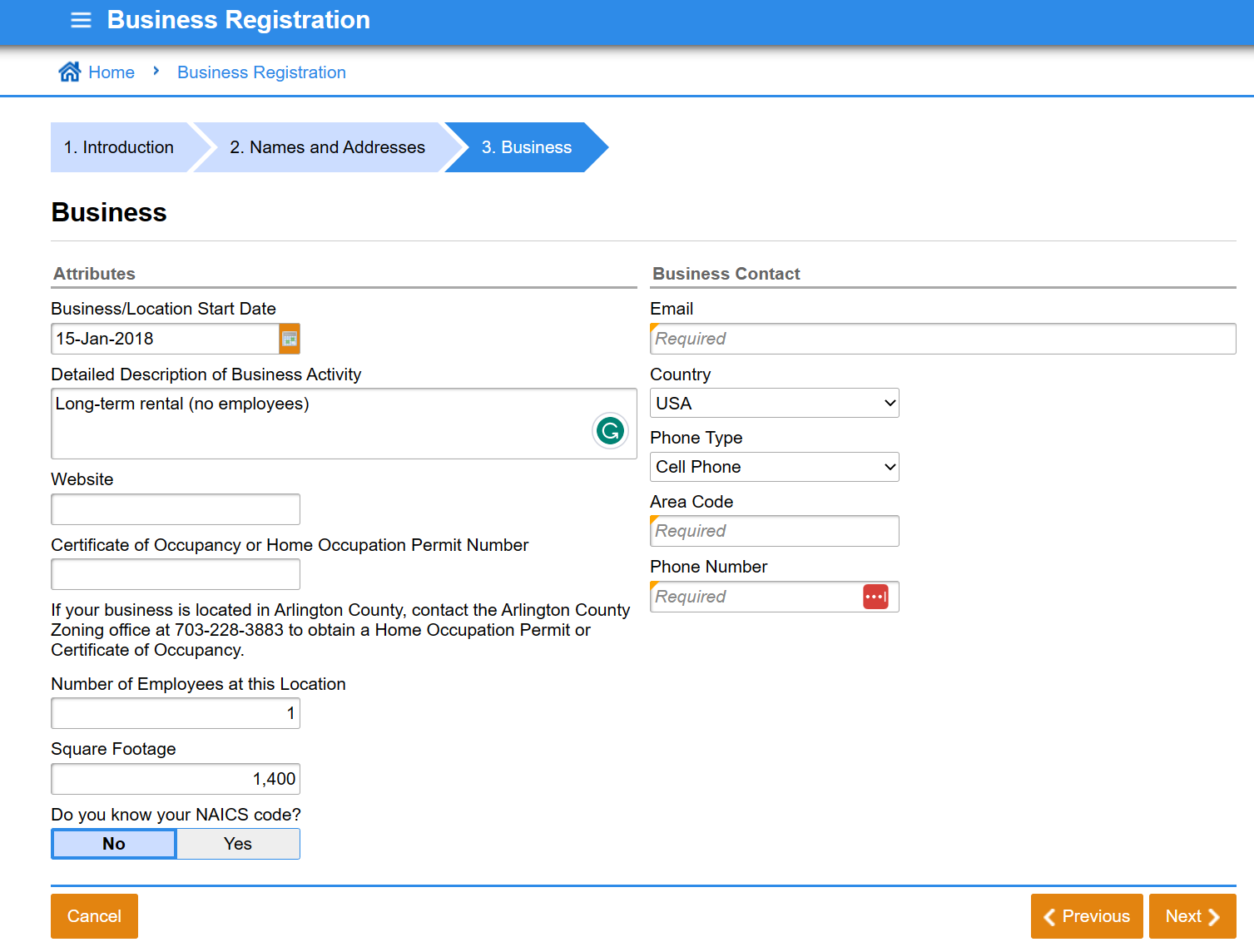
Step 3: Business
a) Business/Locaion Start Date: select the date when you started/will start to rent your property. **If it is a date in the past, taxes will need to be paid retroactively.
b) Certificate of Occupancy: there is no need to file for one for single-family long-term rentals. You can always call the Arlington County Zoning office at (703) 228-3883 if you have any questions about this.
c) Number of employees: type 1. The website doesn't allow you to type in 0.
d) Business contact: type in your personal information. **Please do not use our company information here.
Step 4: Contact
Type in your personal information. **Please do not use our company information here.

Step 5: Section codes
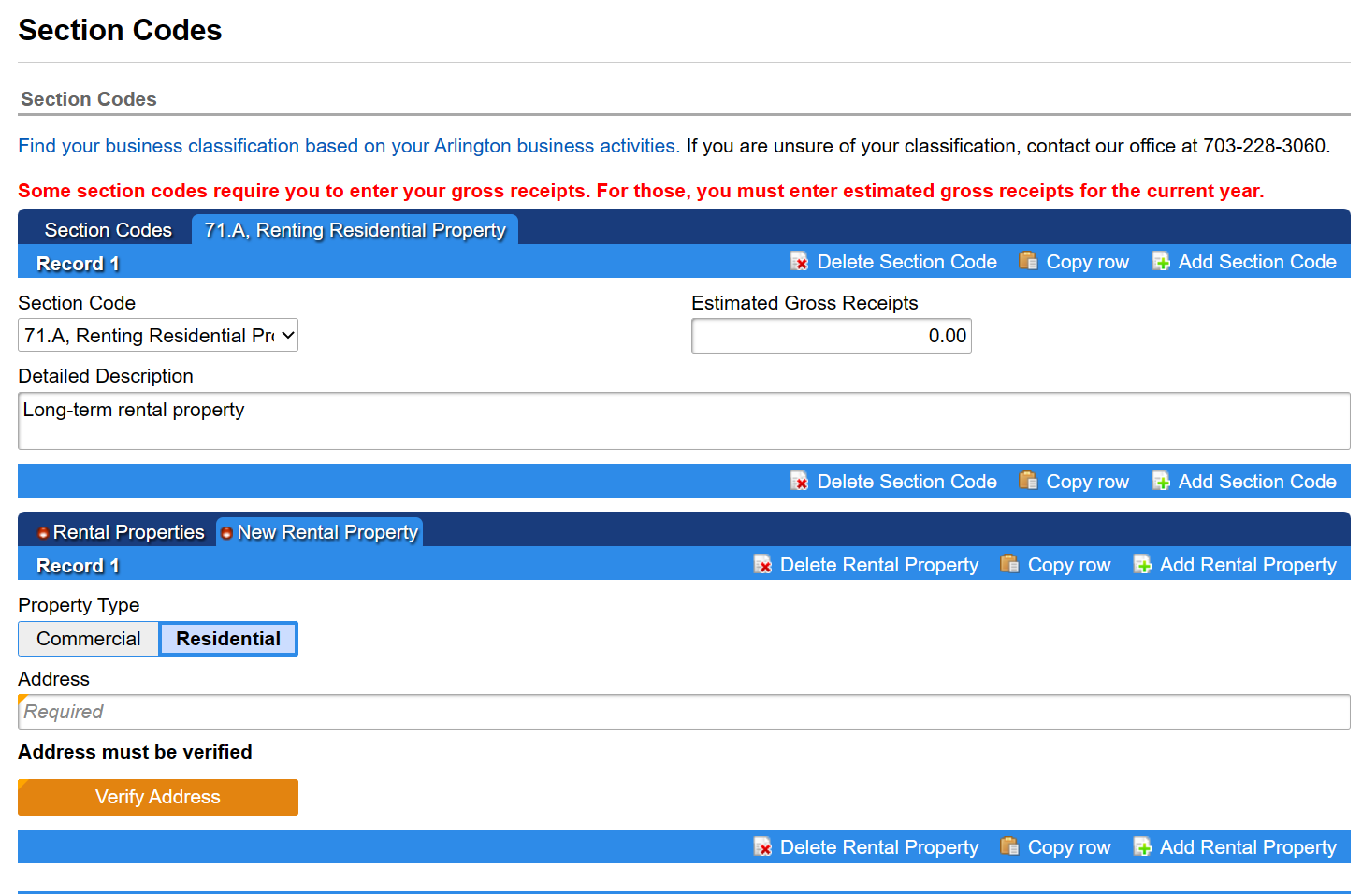
a) Section code: select 71.A, Renting Residential Property
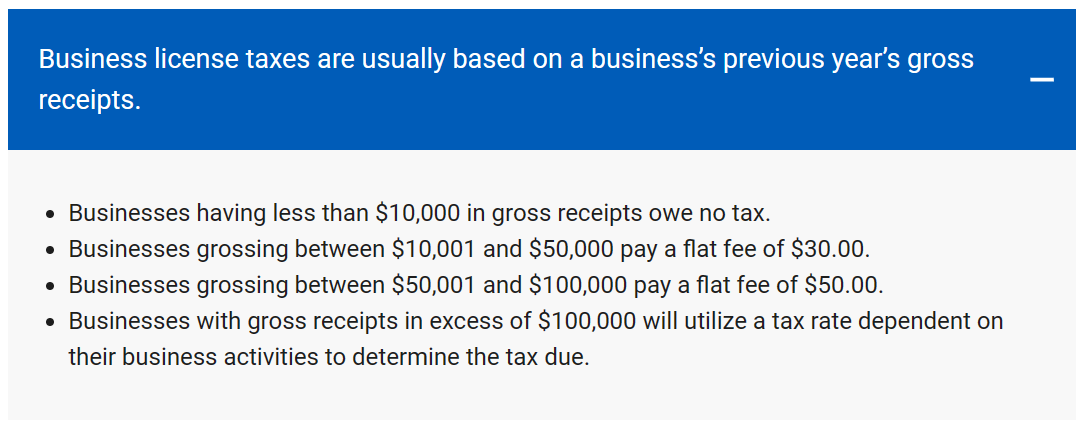
b) Estimated Gross Receipts: if your propery is already rented, type in the amount you expect to receive in gross rental income for the current calendar year. If you don't a have a lease in place, you only need to sum from the date you expect to start collecting rent until December. **This doesn't need to be an exact amount, it is just to know in which range you'd fall (see below)
c) Click on "Add Rental Property" (highlighted in yellow). Select "Residential" , type in and verify the address.

Step 6: Review
Review the information and click on Submit.
Next steps
1) You will receive an email from the Business Tax Division requesting ESTIMATED gross receipts for the ongoing year and actual gross receipts from previous years if you are registering a business that has already started.
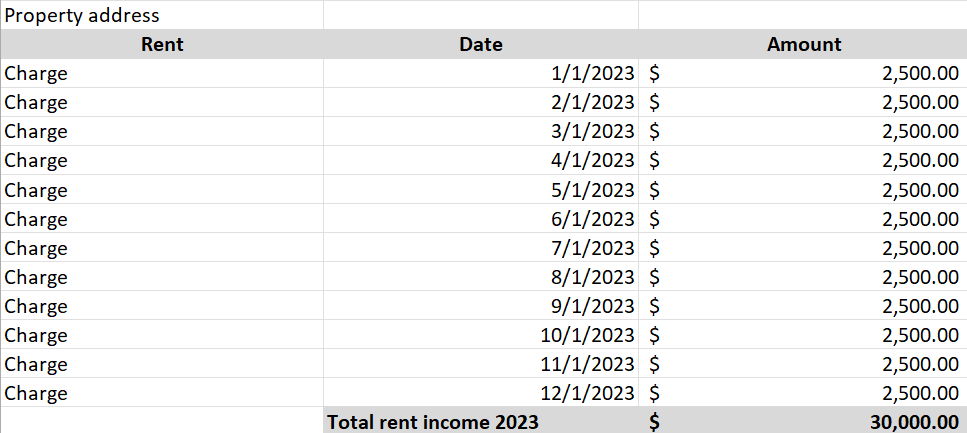
Example of what to provide for the ESTIMATED gross receipts (you can prepare this on an Excel file):
2) You will receive an invoice to submit payment for any outstanding taxes. In order to submit payment online, you need to register for CAPP through the following link:
https://capp.arlingtonva.us/_/#13 (Click on "Register for CAPP")
This will allow you to view your accounts, make changes to your accounts, file returns, and make payments.
3) Moving forward, you will receive an email on January to file your returns and then submit payment by 11:59 p.m. on March 1.
For more information or questions contact the Office of the Commissioner of Revenue at 703-228-3060 or email business@arlingtonva.us.